
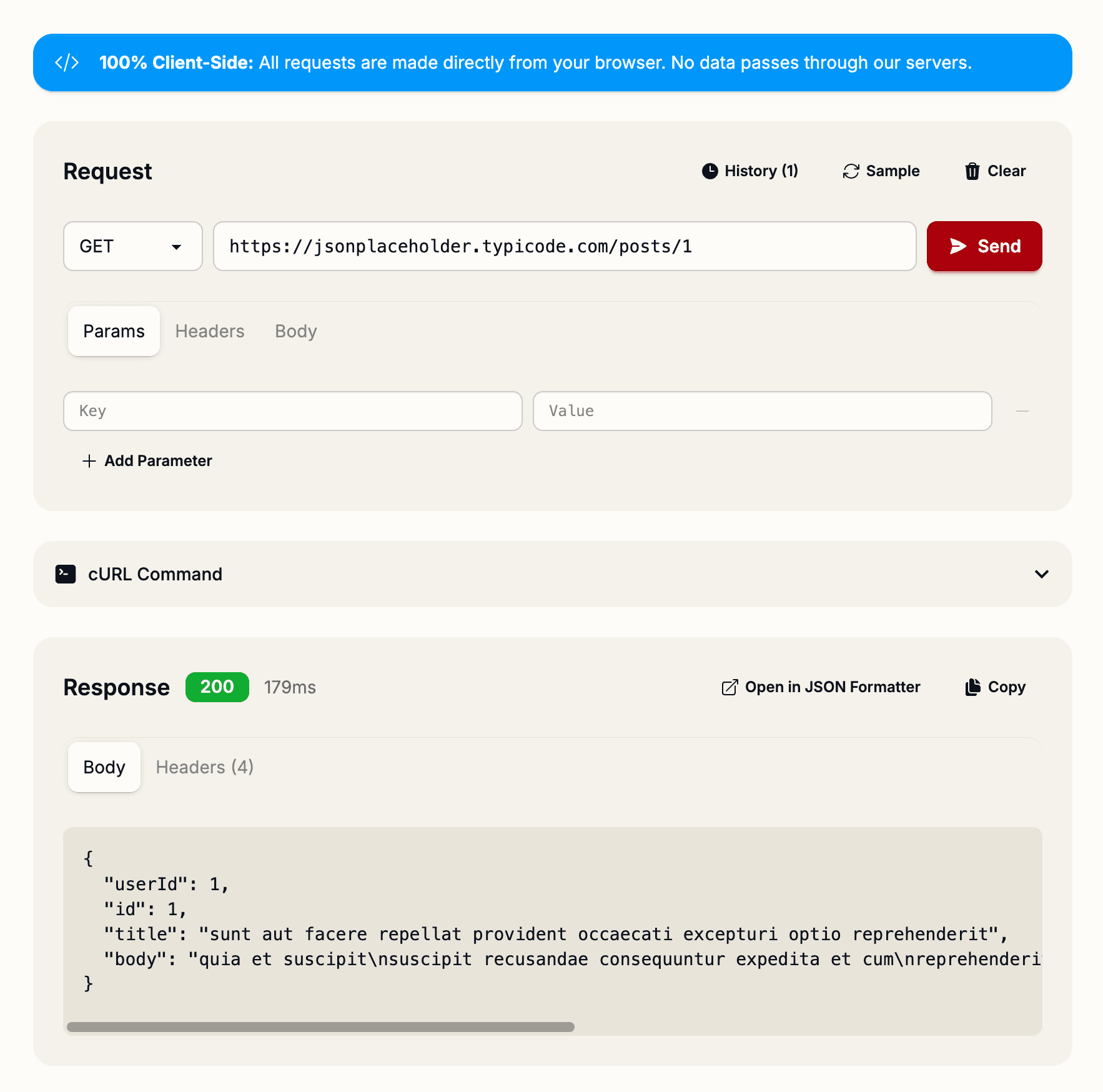
API testing shouldn't require installing heavy desktop applications. With the Request Tester, you can test any endpoint directly in your browser—complete with custom headers, query parameters, request history, and syntax-highlighted responses.
The Problem with Traditional API Tools
Most developers rely on Postman to test APIs. But Postman requires installation, account creation, and takes up precious disk space. For quick endpoint debugging or exploration, it's overkill.
What if you could test APIs as easily as visiting a website?
Request Tester: Lightweight API Client
The Request Tester brings API testing into your browser. It supports all major HTTP methods, custom headers, query parameters, and multiple body types—all in one lightweight interface.
All HTTP Methods Supported
- GET — Retrieve data (no body)
- POST — Create new resources (with JSON, form data, or raw text)
- PUT — Replace entire resources
- PATCH — Update specific fields
- DELETE — Remove resources
- HEAD — Get headers without response body
- OPTIONS — Check what methods an endpoint supports
Body Types
Depending on your API, you might send data in different formats. Request Tester handles all of them:
- JSON (application/json) — Standard REST API format with automatic Content-Type header
- Form Data (application/x-www-form-urlencoded) — Traditional HTML form submission
- Raw Text (text/plain) — Plain text or XML payloads
Managing Headers and Query Parameters
Request Tester makes it easy to manage authentication and API-specific headers:
- Common Headers Presets — Quickly add Authorization, Content-Type, X-API-Key, and more
- Custom Headers — Add any header your API requires
- Query Parameters — Build dynamic URLs without manual concatenation
For example, to test an authenticated endpoint, just click the Authorization preset and paste your Bearer token.
Response Visualization
Responses are displayed with:
- Syntax Highlighting — Easy-to-read, color-coded JSON responses
- HTTP Status Code — Instantly see if your request succeeded
- Response Time — Know how fast your endpoint responds
- Direct Link to Formatter — Pass messy JSON directly to the JSON Formatter
Save Your Request History
All requests are saved in your browser's local storage. This means you can:
- Access previous requests without retyping headers and parameters
- Quickly switch between testing different endpoints
- Iterate on API requests without losing your work
Export as cURL Command
Need to share your request with a team member or run it from the command line? Export any request as a cURL command with one click. This is perfect for:
- Sharing API requests in documentation
- Running requests in CI/CD pipelines
- Testing the exact same request in multiple environments
Perfect for API Exploration
Whether you're integrating with a new API, debugging endpoint behavior, or exploring GraphQL mutations, Request Tester has you covered. No installation, no account required, no limits.
Test your first endpoint at shipmas-advent.com/day/6 — it takes seconds. 🌐