
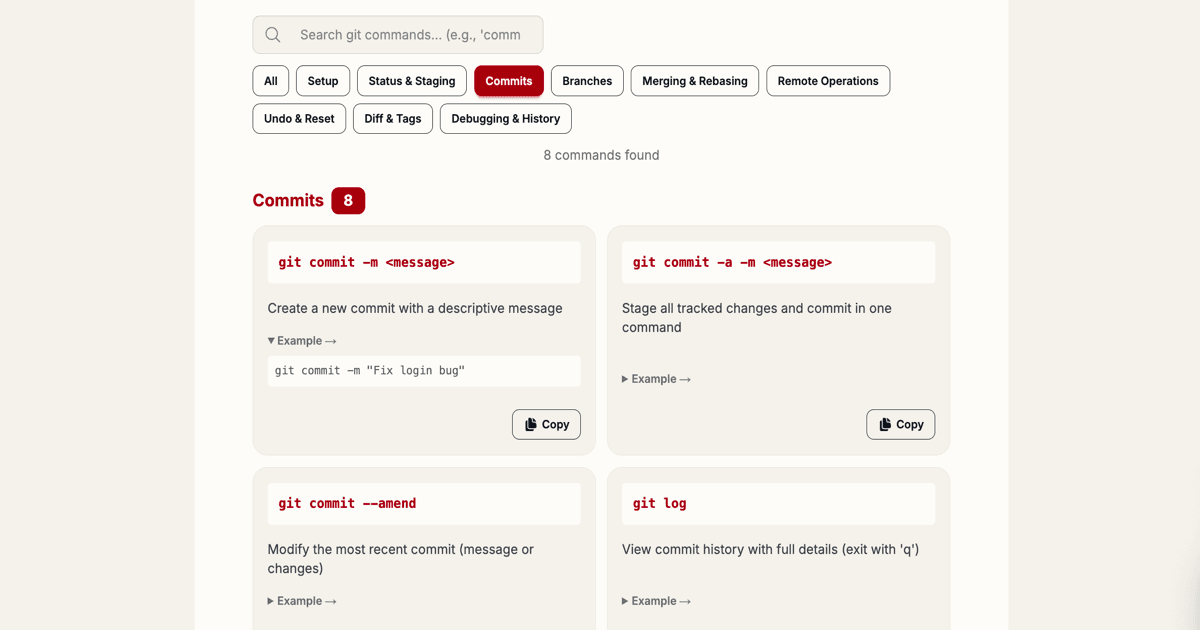
Day 15 unlocks the Git Cheat Sheet — a searchable reference for 50+ essential git commands organized by category, with practical examples and one-click copy.
Why Git mastery matters
Git is the backbone of modern development. Whether you're pushing your first feature branch or managing complex rebases, knowing the right command saves hours of debugging and Googling. But remembering syntax variations? That's what the cheat sheet is for.
What's inside
The Git Cheat Sheet covers 8 core categories:
- Setup — Initialize repos, clone projects, configure your identity
- Status & Staging — Stage changes, check repo state, remove files
- Commits — Create commits, view history, inspect changes
- Branches — Create, delete, rename, and switch branches
- Merging & Rebasing — Merge branches, rebase commits, resolve conflicts
- Remote Operations — Push, pull, fetch, manage remote repositories
- Undo & Reset — Undo commits, stash changes, clean working directory
- Diff & Tags — Compare changes, create version tags, manage releases
How to use it
Head to the Git Cheat Sheet (Day 15) and:
- Search — Type keywords like "commit", "branch", "rebase" to find commands instantly
- Filter by category — Click category buttons to drill down to what you need
- Copy commands — Click the copy button to paste ready-to-use commands into your terminal
- View examples — Expand each command to see practical usage examples
Pro tips
- Use
--helpon any command for deep documentation (e.g.,git commit --help) - Combine commands with pipes for powerful workflows
- Use
git statusliberally — it's your safety net - Always write descriptive commit messages — future you will thank you
- Create a branch for every feature — keep main stable
Perfect for every developer
Whether you're a git newbie memorizing your first push, or a seasoned engineer optimizing your workflow, this cheat sheet has you covered. No signup, no ads, no fuss — just fast, searchable git knowledge.
Happy shipping! 🚀