
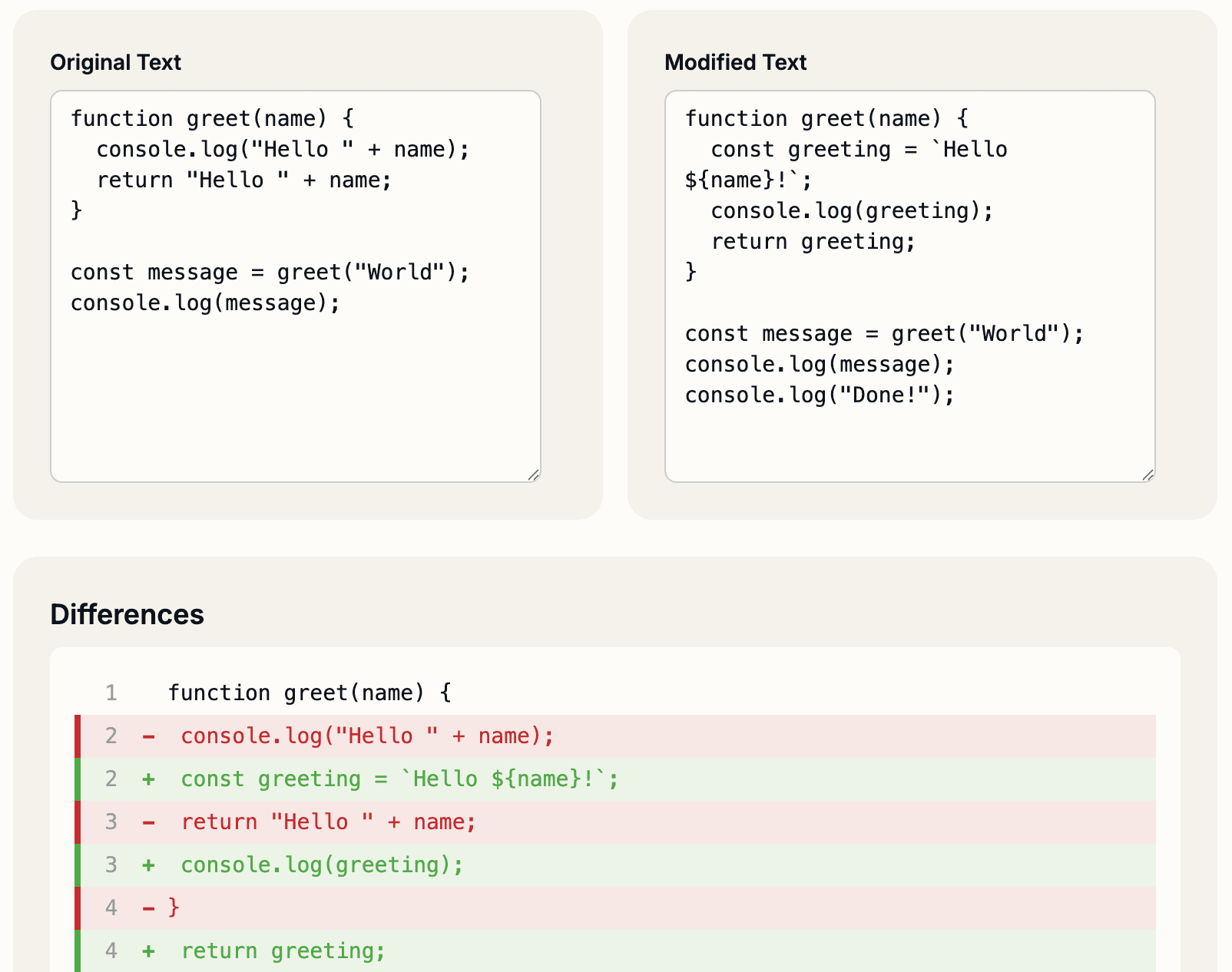
Day 12 unlocks Code Diff Viewer – instantly spot changes between two code snippets with side-by-side comparison, syntax highlighting, and clear visual indicators of what’s new, removed, or modified.
Why Diff Viewers Matter
When reviewing pull requests, comparing versions, or understanding what changed, line-by-line comparison beats reading code twice. A good diff viewer highlights exactly what matters: what’s new, what’s gone, and what’s different.
Core Features
Side-by-Side View: Original on the left, updated code on the right. See changes in context instantly.
Syntax Highlighting: Support for JavaScript, Python, Java, C++, Go, Rust, SQL, JSON, HTML, CSS, and 50+ languages. Automatically detects language or manually select.
Change Indicators: Green for additions, red for removals, yellow for modifications. No guessing which lines matter.
Line Numbers: Track positions in large files. Makes code review discussions precise.
Unified Diff View: Toggle between side-by-side and unified diff (like GitHub). Choose what works best for your brain.
Copy & Download: Copy either version or download as a file for further work.
Real Developer Scenarios
- Code Reviews: Review pull requests without leaving your terminal. Paste the old and new code, see differences highlighted instantly.
- Migration Tools: Generated refactored code? Compare the original vs generated version before accepting.
- Version Control Offline: No git access? Paste two versions and see what changed.
- Learning & Teaching: Show students before/after code examples with changes highlighted. Perfect for tutorials.
- API Response Comparison: See what fields changed between API versions.
- Configuration Changes: Diff config files (YAML, JSON, INI) to spot security or performance implications.
- Debugging Changes: Before your bug fix, after your bug fix. See exactly what you changed.
Multi-Language Support
Works with any programming language: JavaScript/TypeScript, Python, Java, C/C++, Go, Rust, Ruby, PHP, Swift, Kotlin, and more. Paste code in any language and get proper syntax highlighting and diff detection.
Also supports config formats (JSON, YAML, TOML, XML) and markup (HTML, CSS, Markdown).
Performance
Handles large files (10,000+ lines). Efficient diff algorithm computes changes in milliseconds. Zero lag when pasting or switching views.
Privacy
100% client-side. Your code never leaves your browser. Perfect for reviewing proprietary code, secret keys, or sensitive data.
Stop squinting at code diffs. See exactly what changed, instantly.
Visit Day 12 now – already unlocked, free forever!